
Download Tacview Advanced – Flight Simulation, Telemetry, Real-Time Data, Debriefing, Pilot Training
Overview
Tacview Advanced is a specialized mobile application designed for pilots, flight instructors, and simulation enthusiasts who rely on detailed flight data analysis to improve performance and training outcomes. The app enables users to visualize and analyze flight data across expansive virtual landscapes with precision and clarity. It serves as a critical tool for enhancing situational awareness during simulation exercises, offering functionalities that support both individual skill development and team-based training environments.
Primarily aimed at serious flight simulation users, Tacview Advanced addresses the need for accurate, real-time telemetry and structured post-flight debriefing. Whether used in military training scenarios, civilian pilot education, or enthusiast-led simulation communities, the app supports a wide range of real-world use cases. Its ability to process and display complex flight data helps users identify performance patterns, evaluate tactical decisions, and refine techniques over time.
Developed by Tacview, the application has been available since 2011, indicating a long-standing presence in the flight simulation ecosystem. While specific developer background details are not provided, the app’s longevity suggests a stable, user-focused development approach. Tacview Advanced fills a niche in the productivity category by transforming raw simulation data into actionable insights, making it an essential companion for anyone invested in high-fidelity flight training and analysis.
Key Features & Functionality
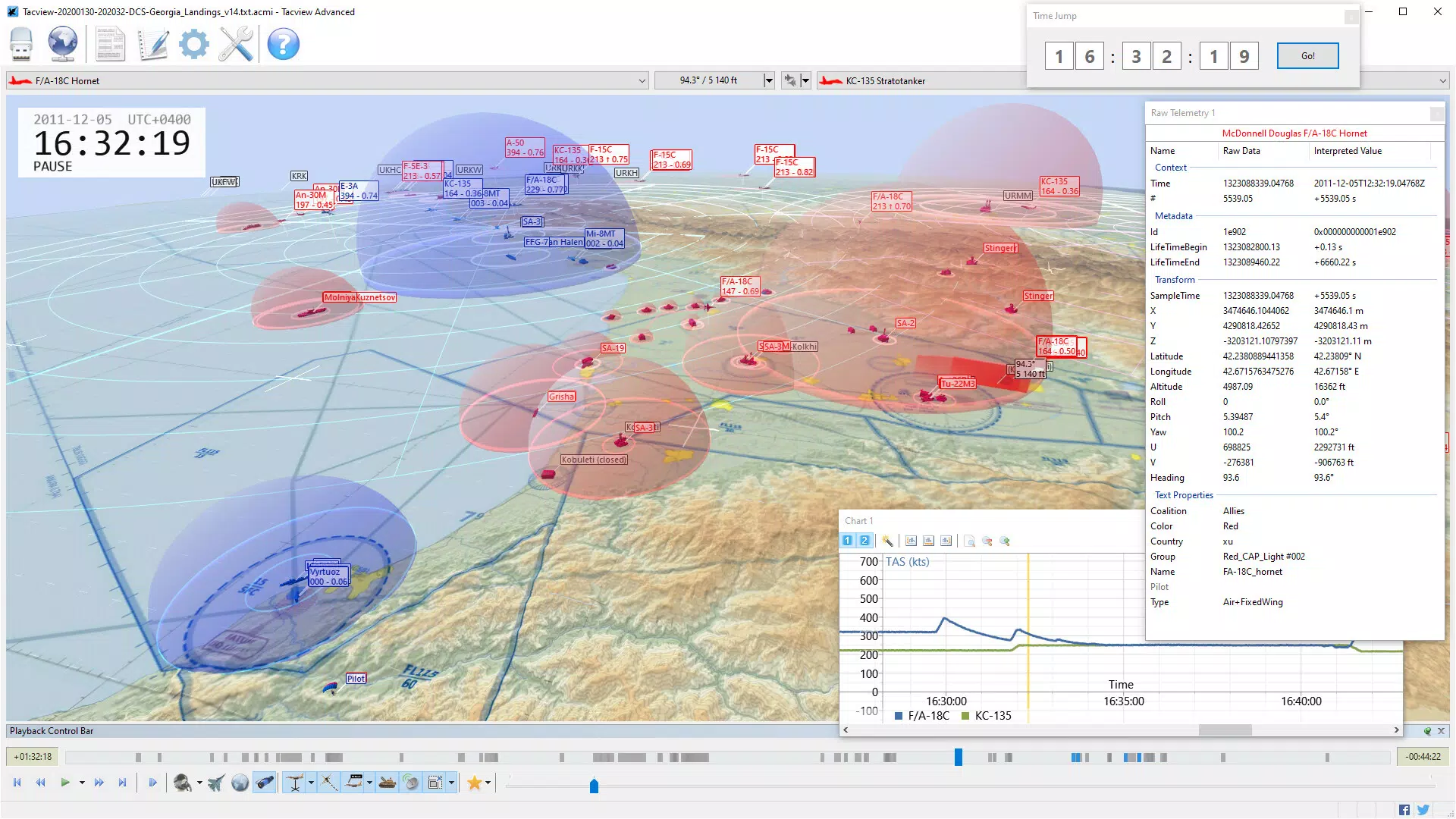
- Strategic View: Offers a scalable perspective from localized regions to global coverage, allowing users to maintain situational awareness during complex simulations. This feature ensures no critical events are missed during training scenarios.
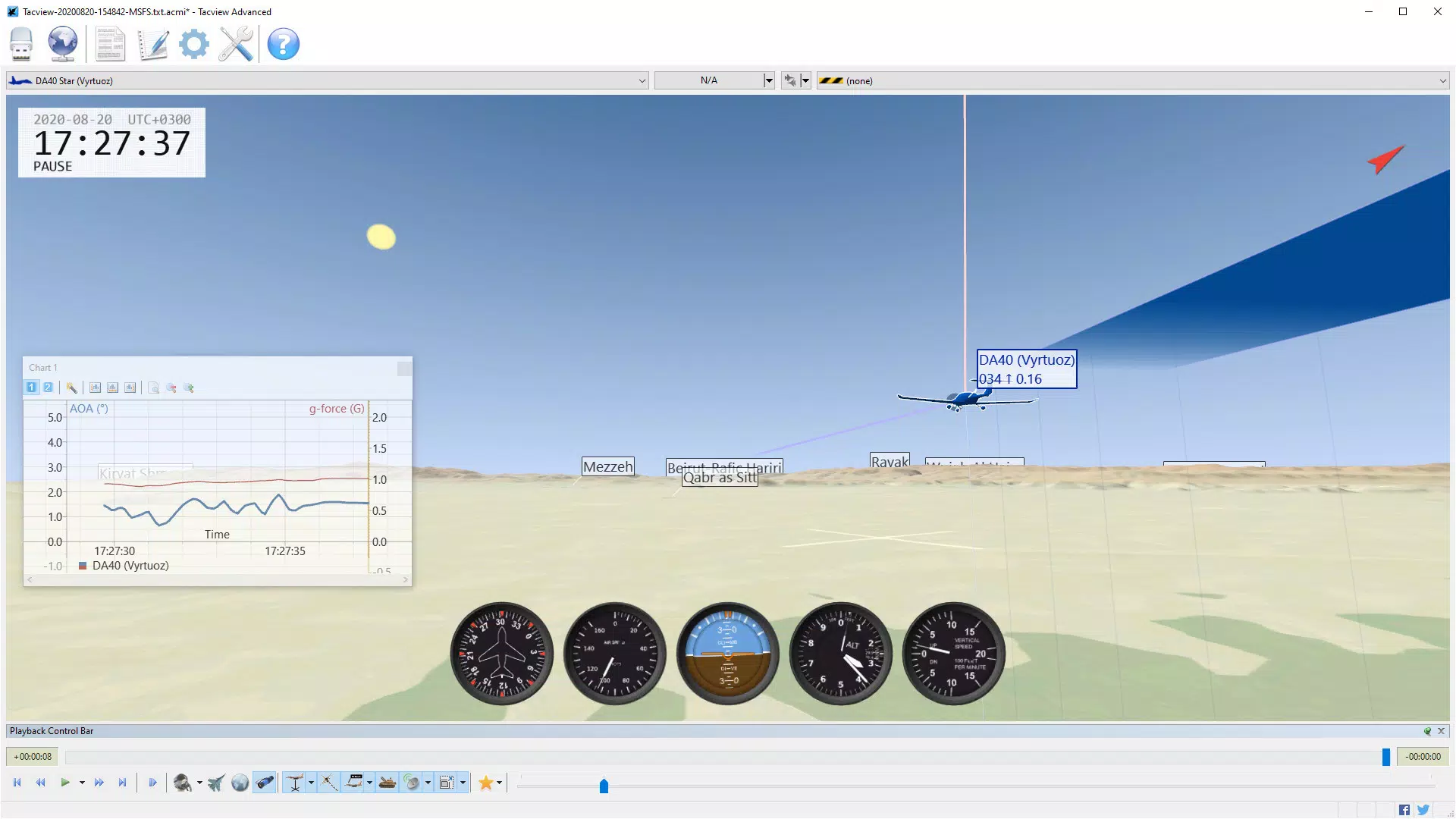
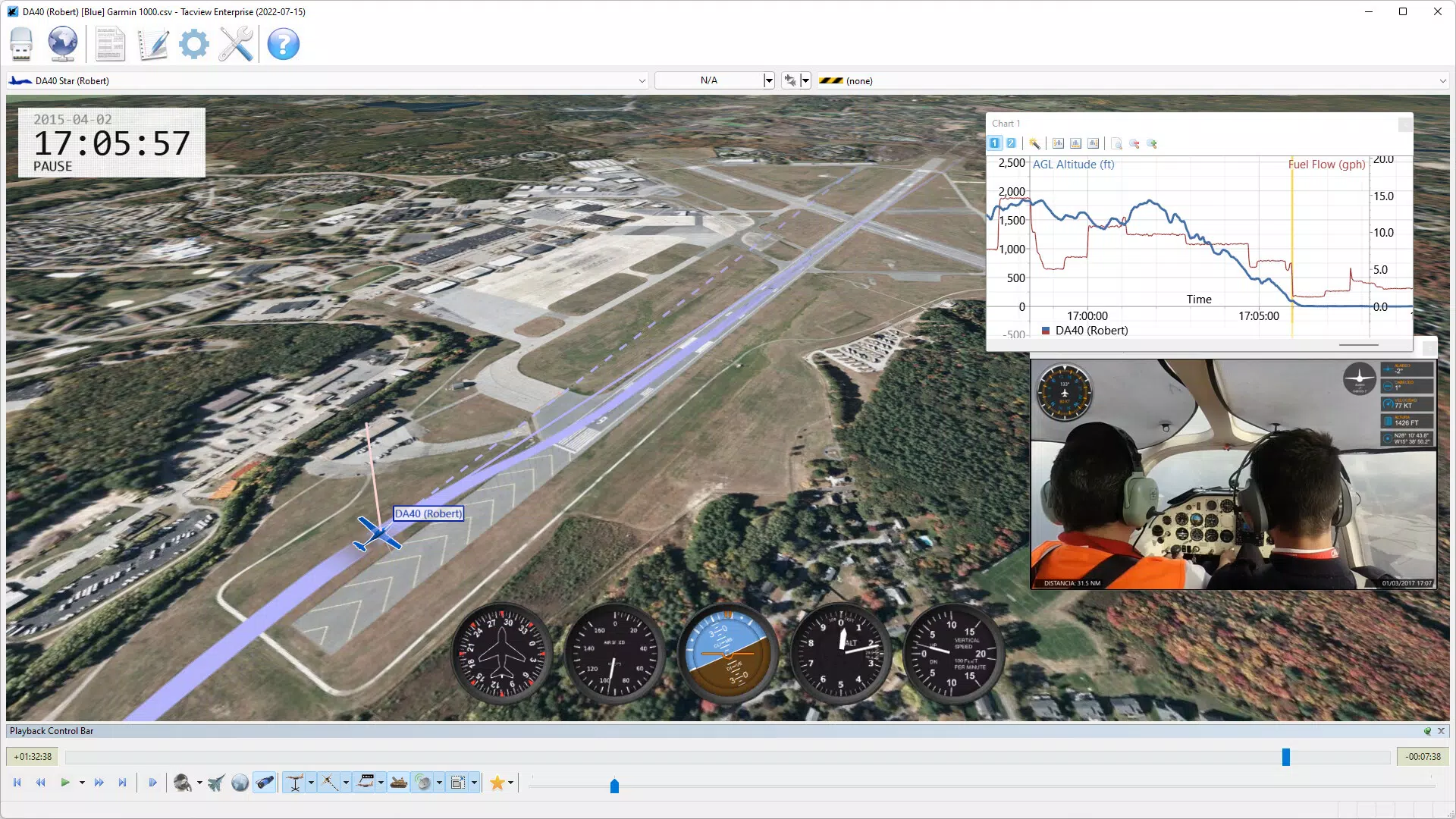
- One-Click Charts: Enables rapid generation of performance visualizations with minimal input. Users can overlay multiple data streams—such as altitude, speed, and heading—on a single chart, with automatic scaling adjustments for clarity. Export functionality supports further analysis via external tools like spreadsheets.
- Online Debriefing Host: Facilitates interactive training sessions where instructors and trainees can collaboratively review flight events. This feature supports remote collaboration, making it ideal for squadron-based or distributed training environments.
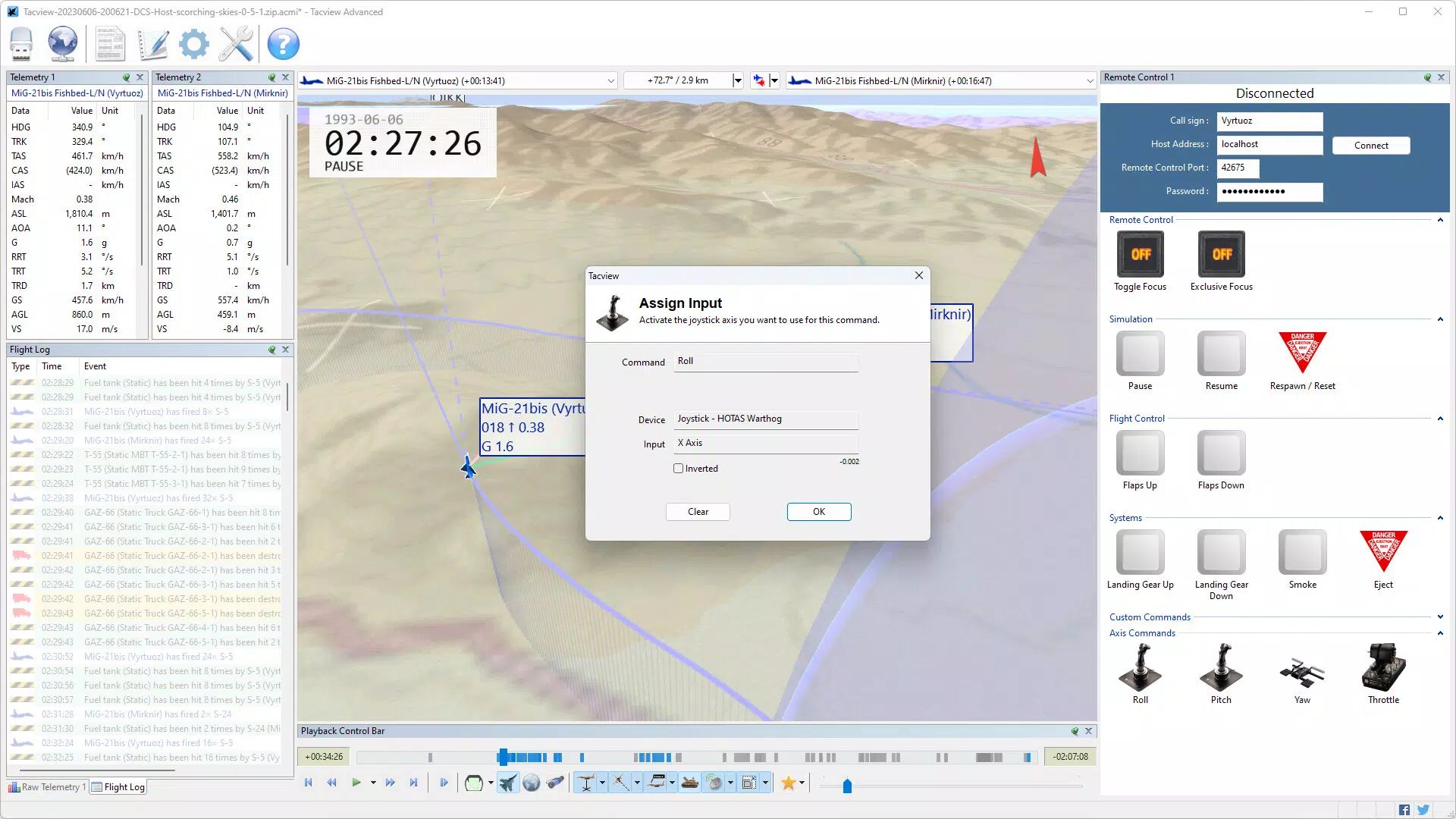
- Real-Time Telemetry: Delivers live data streaming during active flights, allowing instructors to monitor trainee actions as they occur. This capability is vital for immediate feedback and adaptive training during multi-pilot maneuvers.
- Instructor Remote Control: Grants instructors the ability to manage up to four client simulators in real time. This includes adjusting flight conditions, simulating system failures, and introducing dynamic challenges to test operational readiness.
These features collectively support a comprehensive training workflow—from live monitoring to post-flight analysis. For example, during a multi-aircraft dogfight simulation, an instructor can use real-time telemetry to identify a trainee’s delayed reaction, then use the online debriefing host to replay the event and discuss improvements. The one-click charting function can later generate a performance timeline, helping to quantify progress over time.
Interface, UX & Performance
The user interface of Tacview Advanced appears tailored for professionals who prioritize functionality over decorative elements. The layout emphasizes data clarity, with intuitive navigation focused on flight visualization, charting tools, and debriefing controls. Users can switch between different views and data layers with minimal interaction, suggesting a streamlined workflow designed for efficiency under training conditions.
Visual style leans toward a technical dashboard aesthetic, using clear labels, distinct color coding, and scalable maps. This approach enhances readability, particularly when analyzing high-density flight data. Navigation is logically structured, with core functions accessible from a central menu or context-sensitive panels.
Although the developer did not list formal performance metrics, the app’s ability to handle real-time telemetry and multi-client management implies optimized processing. It is expected to perform reliably across mid-to-high-end Android devices, though specific device compatibility was not disclosed. Responsiveness and stability are likely maintained through consistent updates, given the app’s long-standing release history. The 55.4 MB file size indicates a lightweight footprint, which supports quick installation and minimal storage impact.
Platform Compatibility & Technical Requirements
Tacview Advanced is available on the Android platform. The current version is 2.0.10, released on March 26, 2011. The app has a file size of 55.4 MB, making it a compact tool suitable for modern smartphones and tablets. While the developer did not specify minimum OS requirements, the app’s long history suggests compatibility with a broad range of Android versions, including those in common use today.
Specific hardware requirements, such as processor speed, RAM, or GPU capabilities, were not provided. Similarly, no details were shared about support for tablet form factors or screen resolution optimization. Users are advised to ensure their device meets standard Android system requirements for running third-party applications, especially those involving real-time data processing.
Pros and Cons
Pros
- Specialized for high-fidelity flight simulation and training environments
- Supports real-time telemetry and live instructor monitoring
- One-click chart generation simplifies performance analysis
- Enables collaborative online debriefing sessions
- Lightweight at 55.4 MB with efficient resource usage
Cons
- Not available on iOS or other platforms
- Developer did not provide detailed technical specifications
- Price point of $15.00 may be prohibitive for casual users
- Compatibility with older Android versions is unclear
- No information on automatic update frequency or cloud sync
FAQ
Is Tacview Advanced available for iOS?
As of now, the app is only available on the Android platform. There is no official release for iOS devices.
Can I use Tacview Advanced for civilian pilot training?
Yes, the app is suitable for civilian pilot training scenarios, particularly those involving flight simulation and performance analysis.
How does real-time telemetry work during a flight?
Real-time telemetry streams live flight data from connected simulators, allowing instructors to monitor trainee actions as they occur, enabling immediate feedback and adaptive training.
Is there a free version of Tacview Advanced?
No, the app is a paid tool with a fixed price of $15.00. There is no free version or trial period mentioned in the available data.
Can I export flight data for use in spreadsheets?
Yes, users can export selected data to a .csv file, which can be opened and manipulated in spreadsheet applications for further analysis.
Final Thoughts + CTA
Tacview Advanced stands out as a powerful, purpose-built tool for pilots and instructors engaged in serious flight simulation training. Its combination of real-time telemetry, interactive debriefing, and one-click charting delivers a robust solution for analyzing flight performance and enhancing training effectiveness. While its price and platform limitation may restrict accessibility for some, its value is undeniable for users who prioritize precision, collaboration, and data-driven improvement.
Whether you're part of a military squadron, a flight school, or an enthusiast group, Tacview Advanced provides the tools needed to elevate your simulation experience. Its focus on actionable insights and collaborative learning makes it more than just a utility—it’s a training partner.
Download Tacview Advanced now


